
Birthday Invitation Card Maker
Turn party plans into personalized invitations without design skills. Choose a template, add your details and photos, then share instantly with your guests.
Download on Google PlayEverything You Need for Perfect Party Invitations
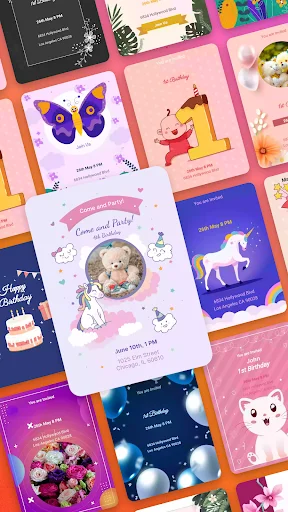
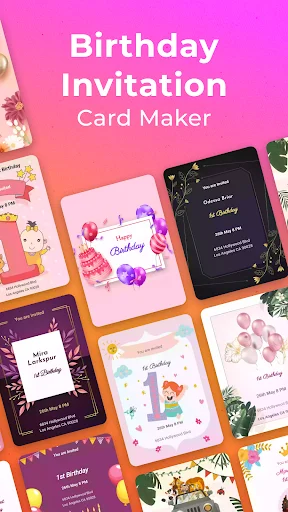
Start with Ready-Made Templates
Skip the stress of designing from scratch. Browse beautiful, professional templates made for every birthday style – from kids' parties to elegant celebrations – and customize one that fits your event perfectly.
Make It Yours
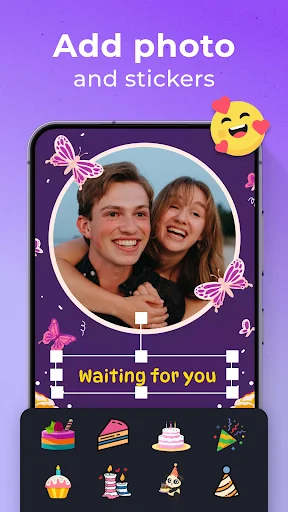
Add the birthday person's photo, change colors to match your theme, and adjust fonts to create a unique invitation. Every detail can be personalized to reflect your celebration and make guests excited to attend.
Add Details in Seconds
Simply type in the name, date, time, and location – the easy editing tools help you get all the party information on your card quickly. No complicated software or design experience needed.
Send Invitations Instantly
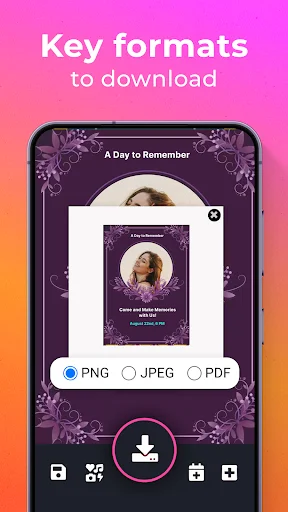
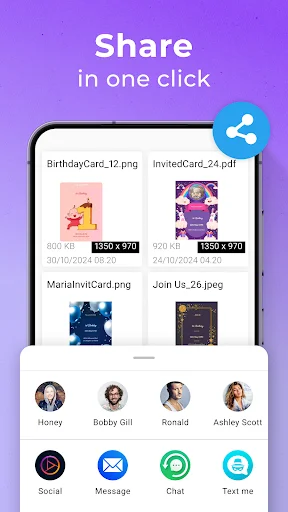
Export your finished invitation as PNG, JPEG, or PDF and share it right away through email or messaging apps. Your guests receive a beautiful invitation on their phones without any printing or mailing delays.
What is a Birthday Invitation Card Maker?
This Android birthday invitation maker helps you turn party details into a personalized card. Start with a template, edit the wording and design, then export the invitation to share with your guests. Combine a name, event details, and a personal photo in a design that suits the celebration.
Use it to create birthday invitations for a small gathering or a larger party, with tools for changing text, colors, fonts, and images.
Who is Birthday Invitation Card Maker for?
The app suits anyone planning a birthday who wants a template as a starting point. Create a card for a child's party, an adult birthday dinner, or a celebration with friends and family.
You can personalize the design without starting from a blank canvas. Choose a style that fits the occasion, then add the information guests need to know. A photo gives the card a personal touch, while editable text lets you describe the event in your own words.
What does Birthday Invitation Card Maker do?
- Choose invitation templates: browse ready-made designs and customize a starting layout for your celebration.
- Edit the wording: add the birthday person's name, date, time, venue, and your invitation message using the text tools.
- Change the style: adjust colors, font styles, and text alignment to bring the details together in your design.
- Add photos and icons: include a personal image and decorative elements that suit the birthday theme.
- Export your card: save the finished design in PNG, JPEG, or PDF format.
- Share digitally: send your invitation through email or messaging apps so guests can receive the card on their devices.
The birthday card maker combines template selection and editing in one workflow. You choose the design and wording, then create a file to send to the people you want to invite.
How does Birthday Invitation Card Maker work?
Open the app and choose a template. Replace the example wording with your own event details, then adjust the fonts, colors, and text alignment. Add a photo or icons if you want them in the design.
Before exporting, check the name, date, start time, and venue on your card. Keep the main details easy to read and use the remaining text for a short invitation message. For a themed party, choose colors and decorative elements that work together.
Select PNG, JPEG, or PDF to export the finished card, then share it through your chosen email or messaging app. This digital invitation maker lets you prepare birthday invitations as files you can send to friends and family.
Compatibility and requirements
This is an Android app. It contains ads and offers in-app purchases. Basic access has fewer features than Premium access; some features require the paid version. Sharing by email or messaging uses the sending app you choose.
Privacy
Device or other identifiers may be shared with third parties.
Birthday Invitation Card Maker helps you turn a template, your own wording, and personal images into an invitation that gives guests the details of your celebration.
See How Easy It Is

Join Over 1 Million Happy Party Planners
this app is a game changer my daughter birthday invitation is a easyer now I don't have to make paper invitations
great app. i quickly designed my daughter's birthday party party. hassle free and quick.
Easy to use manage to make a beautiful invite in no time . What a great application.
Straight forward birthday invitation creator with all the tools needed. Very helpful
Very nice app for birthday invitation and awesome design and borders I love it
Best app. easily to use and customize to your preference.